
Tips and Trends
Add Impact to Your Videos with High-Quality Sound Effects
Read More
/28 Jul 2025


Have you ever used an app or a website and felt it was easy to use? Often, good design is a big reason for that. A key part of good design is using the right icons. Icons are the small pictures that tell you what a button does. They help you get around without needing to read a lot of text.
In 2025, there are new trends for user interface (UI) icons. Designers are making icons that are more than just simple pictures. They are making them part of the whole look and feel of a product. Let’s look at what is popular this year. We will also learn how to choose the best icons for your own projects.
This year, designers are using many different icon styles. Here are some of the most popular ones:
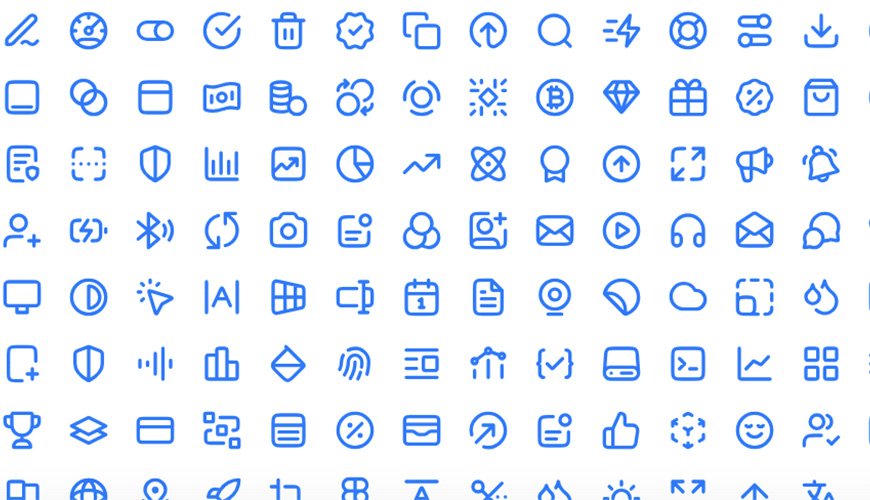
Line Icons with Thicker Strokes: In the past, thin line icons were very popular. Now, many designers are using lines that are a bit thicker. These icons are easy to see and feel more solid. They can be used with a single color or filled with color.
3D Icons: Three-dimensional icons are a big trend. They look like real objects with depth and shadows. They often have a fun, "bubbly" look. These icons are great for adding personality to a design.
Glassmorphism: This style makes things look like they are made of frosted glass. Icons in this style have a slightly blurred and see-through look. This gives a feeling of depth. It makes the icon look like it is floating on the screen.
Minimalist but Bold: This trend uses very simple shapes. But the shapes are often large and stand out. It is a mix of simple design with a strong visual punch. This style is clean and modern
Untitled UI Icons: A large and popular set for Figma users, with a clean and neutral style.
Feather Icons: A classic pack known for being simple and clean.
Phosphor Icons: This pack has a lot of icons with different styles. It is very flexible.
Tabler Icons: A huge set of icons that are customizable.
Choosing icons is more than just picking a pretty picture. The right icon helps people use your product easily. A bad icon can cause confusion. Here is what to think about when you choose icons.
A good icon should be easy to understand. People should know what it does at a glance. Icons like a magnifying glass for "search" or a house for "home" are good examples. They are symbols that people already know.
All icons in a single app or website should look the same. They should have the same style. This includes the size, line thickness, and level of detail. If one icon is a thin line, all other icons should also be thin lines. This makes the design look clean and professional.
The icons you pick should match your brand's style. If your brand is playful, you might use more fun, rounded icons. If your brand is serious, you might use simple, sharp icons. The icons should feel like they belong with the rest of your design.
Icons need to look good at any size. They should not get blurry. Vector images, like SVG files, are best for this. They can be made bigger or smaller without losing quality. This is important for different screen sizes, like on a phone or a computer.
Many people use their devices in both light and dark modes. Your icons should work well in both. Icons with simple lines often look good in both settings.
Icons can change to show what is happening. For example, a button icon might change color when you click on it. This helps people know their action worked. This is called a "state." It gives users feedback.
Some icons point in a direction, like an arrow for "next." These icons should always point the right way. They should not be flipped. This helps people move through a process easily.
A good icon pack lets you change things. You can change the color. You can change the line thickness. This means you can make the icons fit your project perfectly.
When you are looking for an icon pack, think about all these things. Do not just pick the first one you see. The right icons can make a huge difference in how people use your product. Taking the time to choose a good set is worth it. Many packs are available, some for free, that have thousands of icons.
You can now find the best icon packs for your next project. Using the tips above will help you make a great choice