

AI Learnings
The Synergy of AI Audio and Visuals in Modern Web Design
Read More
/18 Aug 2025


Imagine having a creative partner who can turn your wildest ideas into stunning visuals in minutes. A tool that lets you design professional product photos, try on clothes, and even create cinematic videos—all without a camera or complex software. This isn't science fiction; it's the reality of modern AI.
Welcome to the world of Nano Banana AI. This powerful tool from Google is a game-changer for anyone who needs to create amazing images. But here's the secret: to truly unlock its power, you need to use it the smart way, and that means pairing it with the right platform. After hundreds of hours of testing, I've found that the best place to do this is on a platform called Open Art.
This guide will show you exactly how to use Nano Banana AI on Open Art, from simple image edits to creating full-blown videos. Whether you're a business owner, a creator, or just someone who wants to have fun with AI, you'll learn the step-by-step workflow to get the best results every time.
Nano Banana is Google's new AI image generator. What makes it special isn't just that it creates great images, but that it gives you an amazing level of control. Think of it as a super-smart artist that understands what you want, even with simple instructions.
While many AI tools require you to write long, detailed prompts, Nano Banana is different. It can take a short, simple phrase and use it to create exactly what you're picturing in your head. It's especially good at:
Realism: It can add incredible, lifelike detail to your images.
Editing: You can easily change specific parts of a photo, like adding a new outfit to a person.
Combining Images: It's a pro at merging two or more photos into a single, seamless new image.
This is what makes it so useful for real-world projects, like creating professional product mockups or unique fashion shots.
You might be wondering why we're not using Nano Banana directly on Google's platform. The reason is simple: Google's version often adds a watermark to your images. On top of that, Open Art offers a whole creative studio in one place, which lets you do so much more.
Open Art is a platform that gives you access to a huge library of AI models, including Nano Banana. But it's more than just a place to generate images. It's an all-in-one creative hub where you can:
Create: Generate images with your favorite models.
Edit & Upscale: Make your images bigger and better without losing quality.
Convert: Turn your images into videos with a single click.
Explore: Use dozens of other AI models for different effects and styles.
This seamless workflow means you don't have to download an image, upload it somewhere else, and start over. Everything works together, saving you time and money. With one subscription, you get a full suite of professional tools.
Ready to get started? Let's walk through the exact steps to create professional-quality images and videos.
First, you'll need to go to Open Art and sign up. Once you're in, navigate to the "Images" section on the left-hand side. This is where you'll find the AI image workflow.
In the "Model" or "Character" area, click the switch button and select Nano Banana. Now you're ready to start creating with the best tool for the job.
The most effective way to use Nano Banana isn't just with a text prompt. Its real power comes from using an image as a starting point. This gives the AI a reference to work from, ensuring your final result is exactly what you want.
In the "Omni Reference" field, you'll upload your starting image. This is a crucial step. Without an image, Nano Banana is like a regular AI generator. With one, it becomes a powerful editor and creative partner.
Let's try an example. I uploaded a picture of a man standing in a city. My goal was to turn this simple photo into a cool, professional-looking shot.
For the prompt, I wrote something very simple: "a drone shot of the man."
Notice how short and clear this is. Nano Banana doesn't need a novel to understand you. It's smart enough to know what a drone shot looks like and can change the background and angle while keeping the person exactly the same.
After a few seconds, the results came back. The AI had completely changed the background, giving it a bird's-eye view as if a drone were filming from above. The man's stance and look remained perfectly intact.
This simple example shows how easily you can transform a regular photo into something unique and artistic.
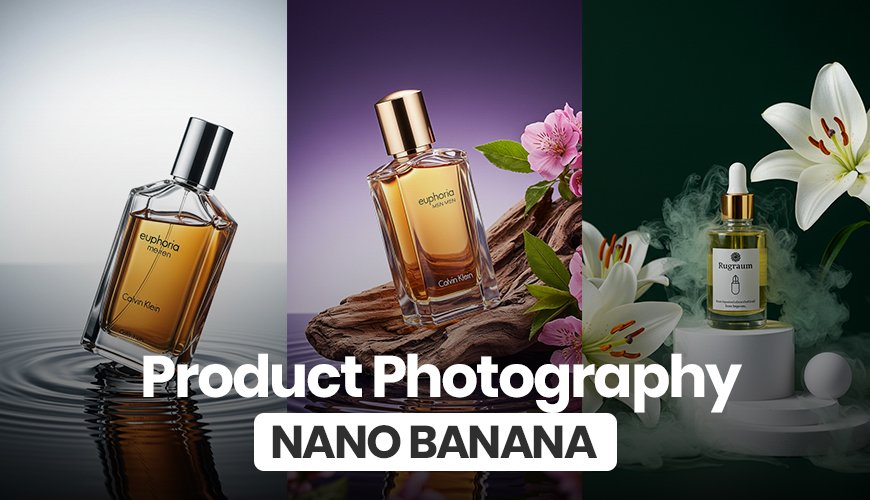
This is where Nano Banana truly shines. You can use it to create high-quality product photos that would normally cost hundreds or thousands of dollars to shoot.
Here's the process:
Find your images. You'll need two pictures: a simple photo of your product (like a popcorn machine) and a reference image of a professional product shot you like (like a coffee machine on a clean, modern counter).
Upload both. Place both images in the "Omni Reference" field.
Craft your prompt. Again, keep it simple. Your prompt tells the AI what to do with the images. Something like, "put the image of the red popcorn machine in the image instead of the coffee machine."
Click "Create."
The results are incredible. The AI will remove the coffee machine and seamlessly place the popcorn machine in its spot. It matches the lighting, the shadows, and the overall style of the reference image. The final photo looks like it was professionally shot in a studio, giving you a huge advantage over competitors who use plain, boring product photos.
This same technique works perfectly for fashion and clothing. You can try on new outfits without ever having to buy them or hire a model.
Get your images. Find a photo of a model posing and a picture of the piece of clothing you want to add.
Upload both. Put both the model's photo and the clothing photo into the "Omni Reference" field.
Write a simple prompt. A prompt like "put the dress on the woman" is all you need.
Generate.
Within moments, the AI will generate images of the model wearing the new dress. The AI understands how the fabric should flow and how it would naturally fit on her body. This is a game-changer for clothing designers, online stores, and anyone who wants to create a digital wardrobe.
The real magic of Open Art is how it connects different tools. You're not just creating images; you're building a creative workflow.
Let's take the fashion image we just created and turn it into a video.
Select your image. Find the image you want to animate in your history. In the top right corner of the image, you'll see a button to create a video. Click it.
Move to the video workspace. Open Art will automatically take your image and move you to the video creation workflow. This is where you can choose a video model.
Choose a model. Open Art has many video models, each with a different style. For this example, we'll choose Seance 1.0 for its incredible realism.
Write your video prompt. This is a place where you need to be a little more specific than with images. You'll want to describe the action, setting, and style. For our fashion model, a good prompt might be:
"Fashion showcase of a woman in a long red velvet dress standing in a seamless white studio. She turns slowly in place to display the dress from different angles, occasionally touching the fabric. The movements are elegant and simple with a confident posture. The lighting is soft and professional, highlighting the texture and deep red color of the velvet. The style is clean, cinematic, and focused entirely on her and the dress with no background objects."
Adjust the settings. You can turn off audio if you want a silent video or a GIF. You can also select the highest resolution and a "pro" quality mode for the best results.
Create the video.
The final result is a beautiful, smooth video that looks like a professional product showcase. This entire process, from finding the original images to creating a high-quality video, takes just a few minutes.
You can even take this one step further by upscaling your video to 4K resolution directly within Open Art, giving you production-quality videos you can use for your business, social media, or personal projects.
Nano Banana AI is a truly impressive tool, but its full potential is only unlocked when you use it with a platform like Open Art. By combining a simple image reference with a clear prompt, you can create anything from professional product photos to stunning fashion showcases.
The best part is that Open Art gives you a complete creative studio in one place, allowing you to seamlessly turn your images into high-quality videos and more. You save time, money, and can create truly professional content without needing expensive software or a lot of experience.
The future of creative work is here, and with tools like Nano Banana AI and platforms like Open Art, you have the power to create more than ever before.
The main difference is its ability to use an image as a strong reference point. While other tools focus on text prompts, Nano Banana excels at altering or combining existing images, allowing for incredible control and realism with very simple instructions.
Yes, you can. Nano Banana is a Google product, but when you use it directly on Google's platforms, the images often come with a watermark. Open Art gives you access to the same model without the watermark and provides a complete suite of editing and video tools in a single, seamless workflow.
Nano Banana AI is a powerful tool for businesses, especially for e-commerce and marketing. You can use it to create professional product mockups, lifestyle shots, and advertising visuals without the cost of a photo shoot. It's also great for generating unique content for social media and blogs.
Open Art has a free trial, but to access premium models like Nano Banana and to create high-quality, watermark-free images and videos, you'll need a paid subscription. The benefit is that one subscription gives you access to a wide range of tools, saving you from paying for multiple separate services.
Yes. While this guide focused on converting an image to a video, Open Art's video workflow can also take a text prompt and generate a video from scratch. This gives you the flexibility to create a variety of video content for any purpose.
For the best results, use high-quality, clear reference images. When writing your prompt, be simple and direct. For example, instead of "a photo of a person," use "a headshot of a person with a warm smile." The clearer your starting image and prompt, the better Nano Banana can understand your vision.